
Move iCloud photos straight to an external hard drive
Point Export iCloud at an external drive and your iCloud library goes directly there — no need for enough space on your laptop to hold it first.
On this page
Why an external drive?
A local archive on a drive you own is the cheapest long-term home for a large photo library: a 2 TB external drive costs about what a year of 2 TB iCloud+ does, and it’s yours to keep. With a copy on an external drive you can also free up iCloud storage and downgrade your plan.
The catch with Apple’s own tools is that they want the library on your internal disk first — the Mac Photos app needs “Download Originals to this Mac”, and iCloud for Windows syncs to your user folder. Export iCloud writes straight to whatever folder you choose.
Step by step
- Plug in your drive. Use a drive formatted exFAT if you need it to work on both Windows and Mac, or APFS / NTFS for a single platform.
- Download Export iCloud and sign in with your Apple ID.
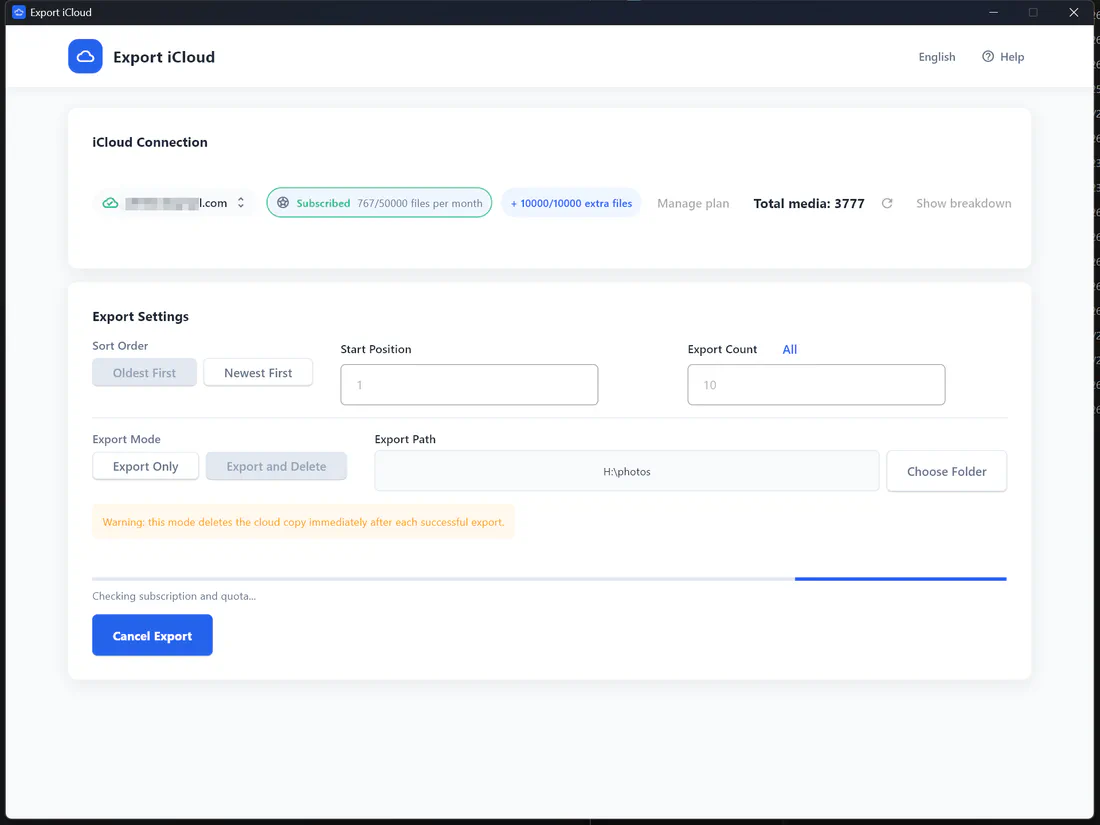
- Click Choose Folder and select a folder on the external drive, e.g.
E:\iCloud Photoson Windows or/Volumes/Backup/iCloud Photoson Mac. - Start with Export Only. When you’ve checked the files, you can run again with Export and Delete if you want to clear iCloud.
- Keep the drive connected until the export finishes. If it’s interrupted, set Start Position to continue where you left off.
Tips for a reliable archive
- Keep two copies — for example the external drive plus a second drive or a NAS. One drive is a backup; two is a safety net.
- Don’t edit files inside the archive folder; copy them elsewhere first.
- Date-stamped file names make it easy to split the archive into yearly folders later.
More detail: export iCloud photos to an external hard drive · how to back up your iPhone without iCloud
Frequently asked questions
What is Export iCloud?
How does it work?
- Download and install the app for Windows or Mac.
- Sign in with your Apple ID and enter the two-factor code if asked.
- Check the photo and video count, choose an export folder, start position and number of items.
- Pick Export Only or Export and Delete, then start. Progress and quota update live.
Want screenshots? See the step-by-step usage guide.
Are photos and videos exported in full resolution?
2024-07-14_18-32-05_IMG_4821.HEIC.Is it safe? Do you see my photos or password?
How does "Export and Delete" work?
How do I get help?
Take your photos back from iCloud
Download your whole iCloud Photos library to your computer in original quality — then free up the space you're paying for.